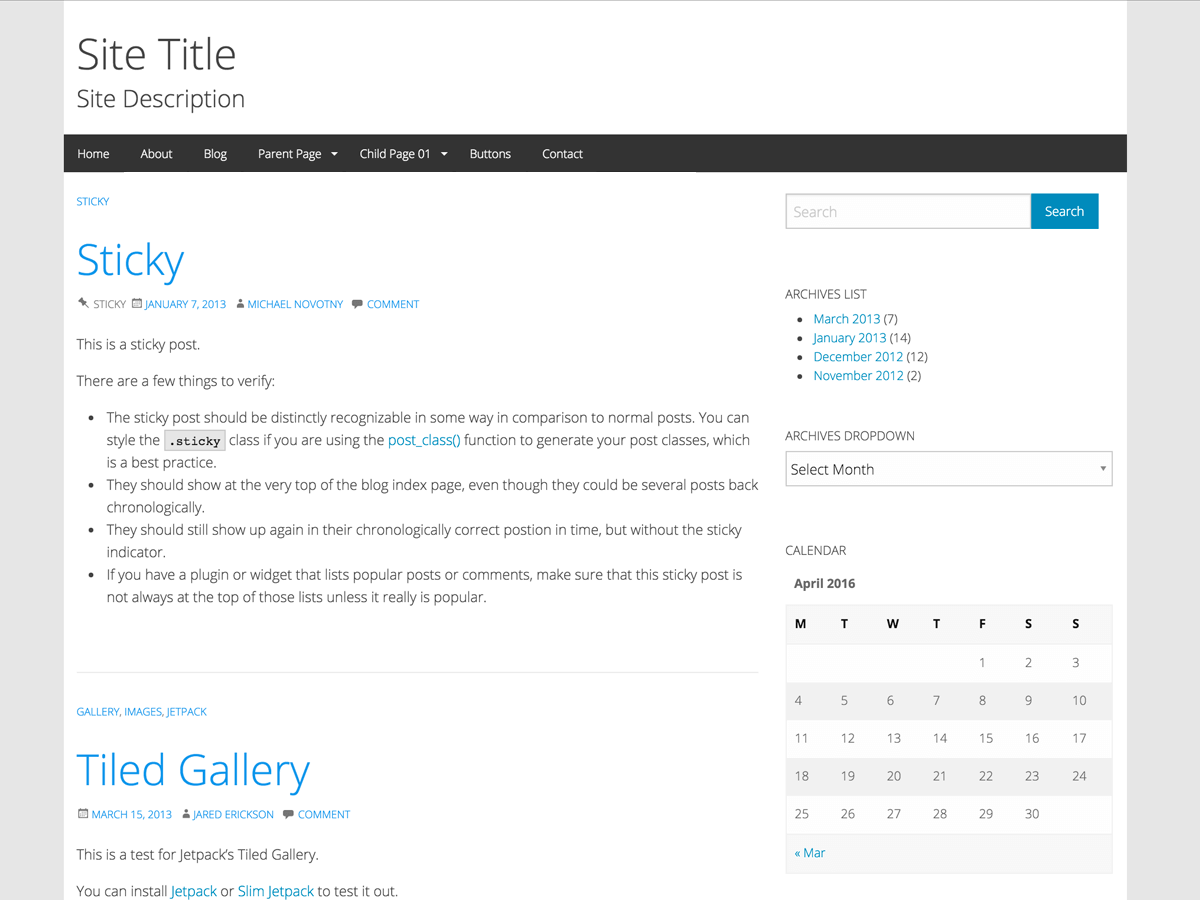
**Theme Name:** WP-Forge
**Tags:** blog, one-column, two-columns, right-sidebar, left-sidebar, custom-background, custom-header, custom-menu, editor-style, featured-images, full-width-template, microformats, post-formats, sticky-post, translation-ready
**Donate:** [WP-Forge Project](https://www.paypal.me/themeawesome)
**Requires at least:** 5.1
**Tested up to:** 5.1
**Stable tag:** 6.5.3
**License:** GNU General Public License v3.0
**License URI:** [http://www.gnu.org/licenses/gpl-3.0.html](http://www.gnu.org/licenses/gpl-3.0.html)
Description
===
A Foundation for Sites WordPress Theme, that utilizes one of the most advanced responsive front-end frameworks in the world from Zurb. When you combine WordPress and Foundation for Sites you get a Foundation for Sites WordPress theme that makes creating websites fun and exciting again!
Installation
===
* In your admin panel, go to `Appearance > Themes` and click the `Add New` button.
* Use the Search or Filter options to locate the WP-Forge theme or click `Upload Theme`, then click `Choose File`, then select the WP-Forge's ZIP file. Click Install Now.
* Click Activate to use your new theme right away.
* Click Appearance > Customize to start modifying your theme.
* In order to modify anything related to WordPress, you will need to make adjustments or add your own styles to `style.css`. In order to modify anything regarding Foundation, you need to make adjustments or add your own styles to `foundation.css` located in `/css/foundation.css`.
Demo
===
[WP-Forge demo](https://themeawesome.com/themes/wpforge/) - Check it out.
Quick Start Guide
===
[WP-Forge Quick Start Guide](https://themeawesome.com/docs/wp-forge/) - A helpful guide to help you get your site up and running as quickly as possible.
Support
===
[WP-Forge Support Forums](https://wordpress.org/support/theme/wp-forge) - If you if you run into issues, you can post your questions/issues there.
### WP-Forge was built with the following tools
* [WordPress Beta Tester](https://make.wordpress.org/core/handbook/testing/beta/) - This ensures WP-Forge is future proof. It also ensures that I use the latest bleeding edge nightlies of WordPress. As of this update the latest version is **4.9-alpha-41268**.
* [WordPress Theme Standards](http://codex.wordpress.org/Theme_Development) - A list of standards that all themes should be coded with set forth by WordPress.
* [WP-Test](http://wptest.io/) - An exhaustive set of test data that was developed over three years to measure the integrity of themes and plugins.
* [Debug Bar](http://wordpress.org/plugins/debug-bar/) - a debugging menu added to the admin bar that quickly shows query, cache, and other helpful debugging information.
* [Log Depreceated Notices](http://wordpress.org/plugins/log-deprecated-notices/) - a plugin that helps you identify old WordPress API functions a theme or plugin is currently using so you can update to the newer methods.
* [Theme Check](http://wordpress.org/plugins/theme-check/) - a simple and easy way to test your theme for all the latest WordPress standards and practices.
* [Monster Widget](http://wordpress.org/plugins/monster-widget/) - A widget that provides a quick and easy method of adding all core widgets to a sidebar for testing purposes.
* [Viewport Resizer](http://lab.maltewassermann.com/viewport-resizer/) - a handy bookmarklet that will load your site in a viewport the size of common devices. This is helpful in testing responsive design.
* [Screenfly](http://quirktools.com/screenfly/) – Responsive screen testing for monitors, tablets, smart phones, and more (personally one of my favorites).
Features
===
### Theme Customizer
WordPress introduced the [Theme Customizer](https://codex.wordpress.org/Theme_Customization_API) in 3.4. The customizer allows you to modify certain areas of a theme and preview those changes in real time before publishing. WP-Forge utilizes this built in customizer and allows you to make changes to many areas of the theme. Please read the information under Configuration in the [README.txt](https://github.com/tsquez/wp-forge/blob/master/README.txt) file to learn more about the customizer in WP-Forge.
### jQuery
WP-Forge uses the version of jQuery bundled with WordPress and it is loaded in the header. This practice falls within the [WordPress Theme Standards](http://codex.wordpress.org/Theme_Development). You can do a search and find the information you need to use Google's version and load it in the footer if you wish.
### Child Theme
I have created a [WordPress child theme](http://themeawesome.com/wordpress-child-theme/) for WP-Forge called WP-Starter. If you prefer, you can also create your own child theme. You can learn how to do this over at the [WordPress Codex](http://codex.wordpress.org/Child_Themes)
### Genericons 3.4.1
Includes the free WordPress icon set [Genericons](https://genericons.com/) - Soon to be upgraded to **Genericons Neue**
### Font-Awesome 4.7
Includes the free icon set [Font-Awesome](http://fontawesome.io)
### Yoast SEO Plugin
Has built in support for breadcrumbs using the Wordpress SEO by Yoast plugin. The code is already added to all necessary files for you. Download the [WordPress SEO by Yoast](http://wordpress.org/plugins/wordpress-seo/) plugin.
License
===
All of the components used in the creation of WP-Forge are licensed as follows:
* WordPress is licensed [GPLv2](http://www.gnu.org/licenses/gpl-2.0.html)
* Foundation Framework is licensed [MIT License](https://github.com/zurb/foundation/blob/master/LICENSE)
* Motion-UI is licensed [MIT License](https://github.com/zurb/motion-ui/commit/2a6617b9e45eaaa7f8888ba04a811002c5ebff5e)
* What-Input is licensed [MIT License](https://github.com/ten1seven/what-input/blob/master/LICENSE)
* Genericons is licensed [GNU General Public License v2 or later](http://www.gnu.org/licenses/gpl-2.0.html)
* Font-Awesome is [fully open source and GPL friendly](http://fortawesome.github.io/Font-Awesome/license/)
This means WP-Forge is completely free to use and modify as you see fit.
About ThemeAWESOME
===
[ThemeAwesome.com](https://themeawesome.com), a site focused on building WordPress themes with [Foundation for Sites](http://foundation.zurb.com/).